
cTrader Trade Journal
Automatic sync. Real stats. A journal that helps you trade better.
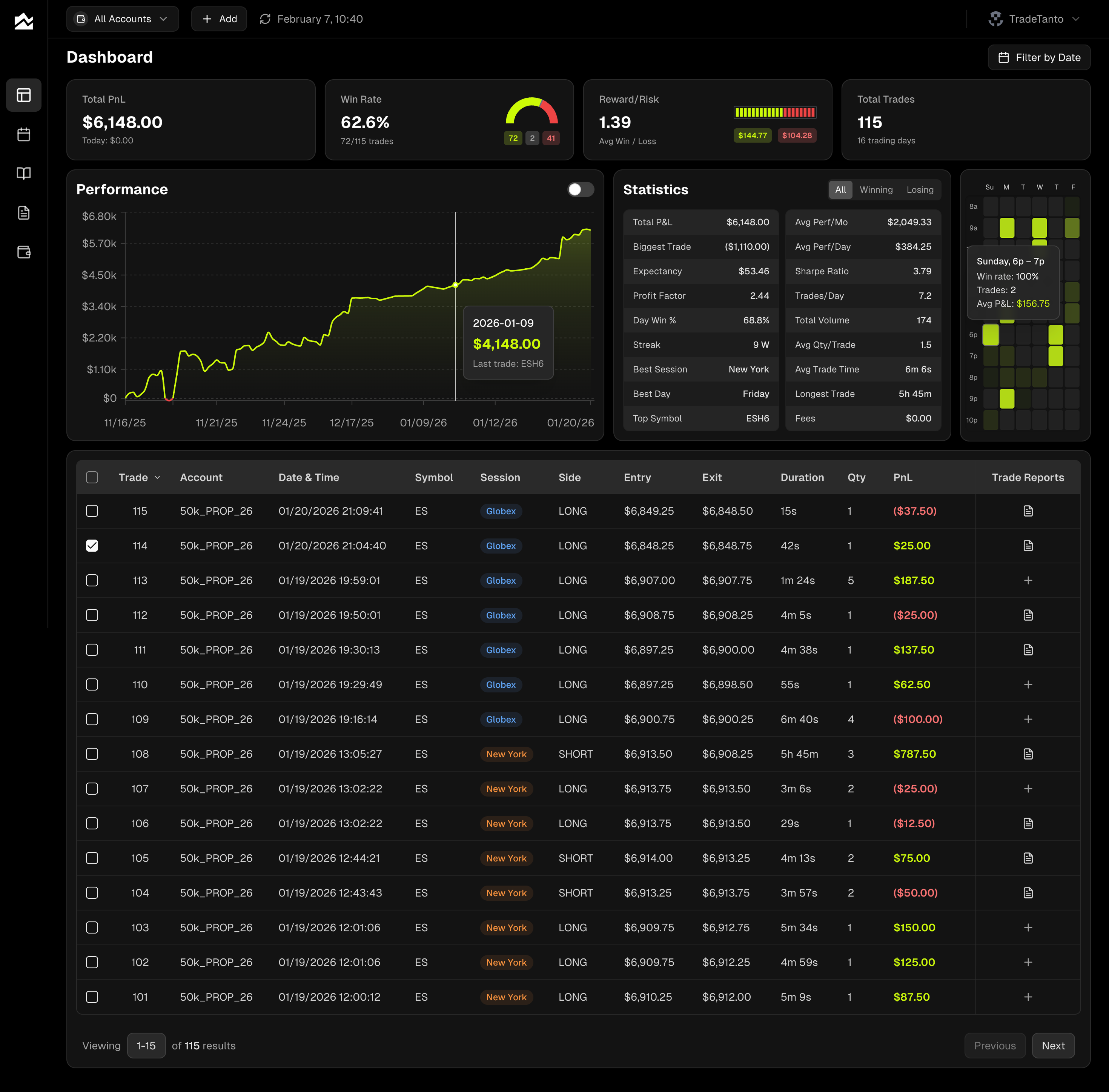
Track, analyze, and improve.
Connect in Seconds
Sign in once. No exports, no copy-paste, no maintenance.
Trades Sync Automatically
New fills appear in your journal the moment they execute.
Sync or Upload
Use auto-sync, CSV import, or both. Your workflow, your call.
All Your Accounts, One View
Track multiple cTrader accounts separately or roll them up together.
Forex & CFD Analytics
PnL calendar, trade reports, and custom commissions built for forex and CFD traders.
Journal Every Session
Add notes, charts, and context. Global economic events are already there.
Your cTrader Dashboard
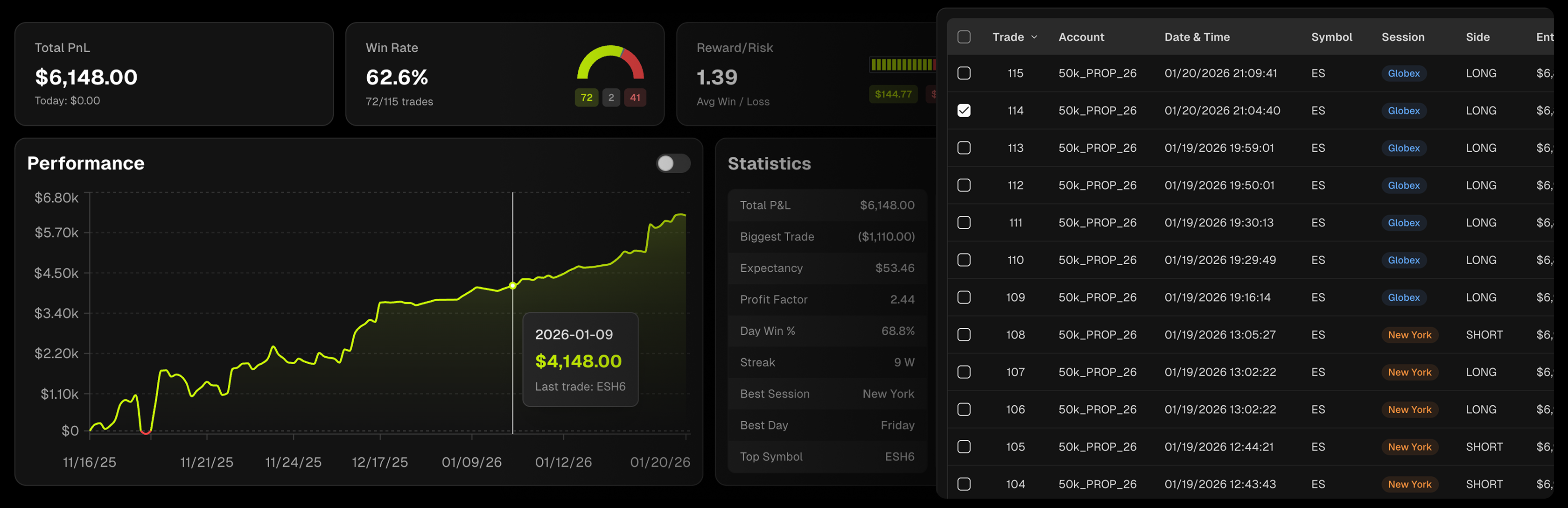
All your accounts roll into one view. Cumulative P&L, win rate, reward/risk, and the stats that show exactly where you stand.
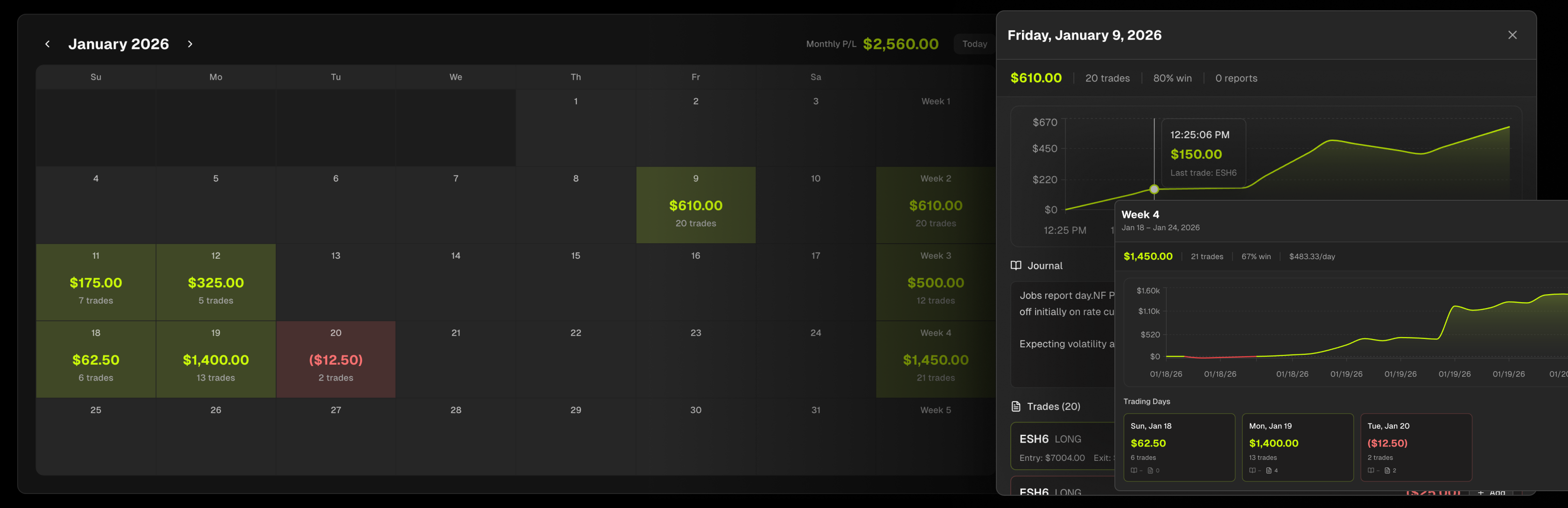
Your Month at a Glance
Green days, red days, patterns revealed. Click any day to see the trades behind the number. Weekly and monthly totals keep you honest.
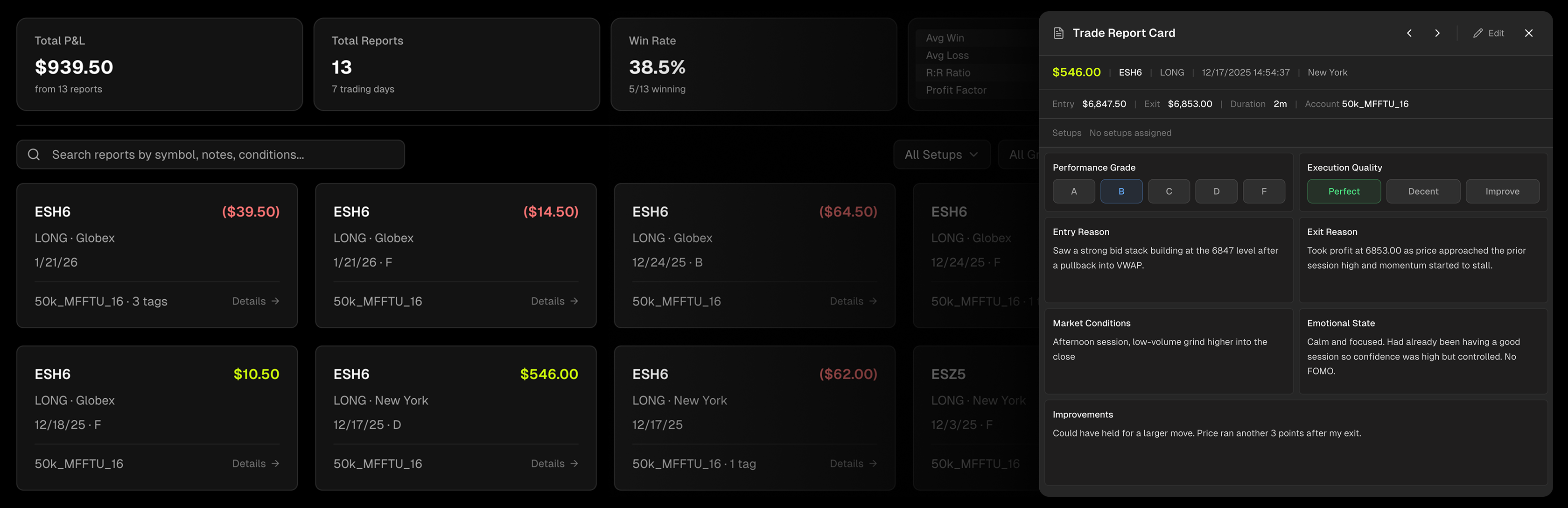
Grade Every Trade
Grade every trade A–F and rate your execution. Document entry and exit reasons, market conditions, and emotional state. Tag setups and filter to find what works.
Journal Every Session
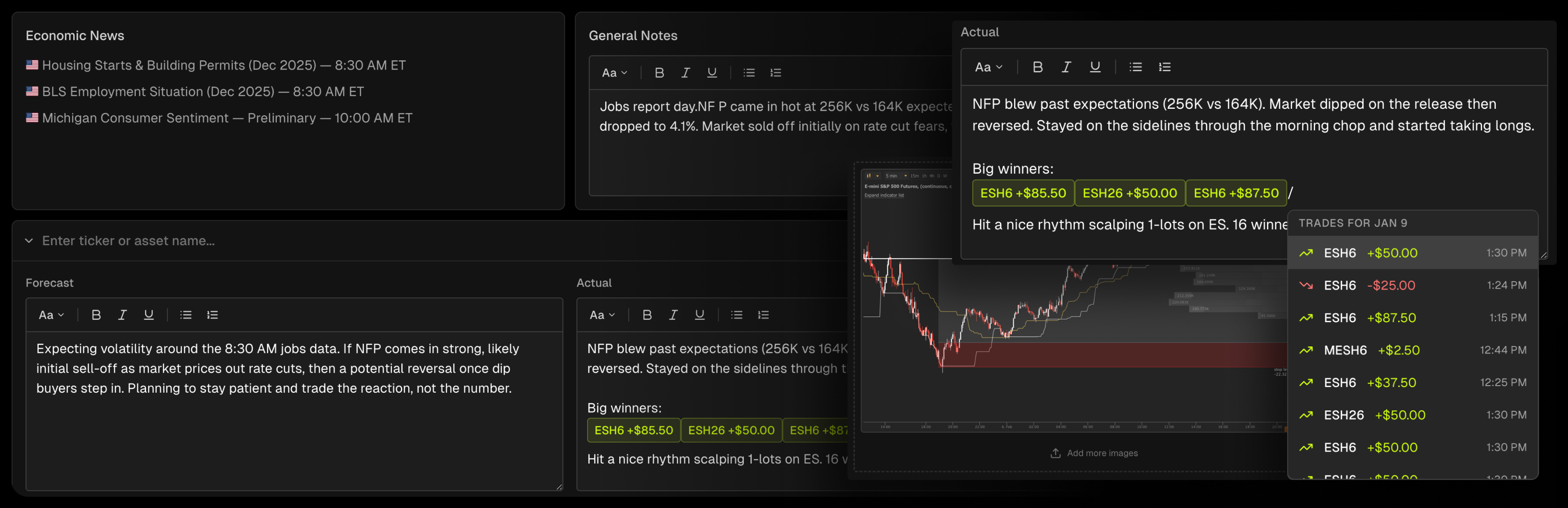
Write your pre-market plan. Review after close. Economic events pull in automatically. Build the routine that builds the edge.
From cTrader to Journal, Automatically
cTrader is a leading platform for forex and CFD trading, used by brokers like Pepperstone, IC Markets, and FP Markets. Prop firms like FTMO, FundedNext, Funding Pips, and The5ers offer it alongside other platforms. If you trade through cTrader with any of them, Tanto syncs those executions into your journal automatically.
Tanto connects through cTrader's OAuth login. Approve access once and every fill streams into your journal automatically. Open your Day Journal before the session and economic events are already loaded. As you trade, executions appear in real time. Use slash commands to pull specific trades inline as you write. Grade each execution A through F in your Trade Reports, tag setups by strategy, and record exactly what you saw and what you would do differently. The review happens while the session is still fresh.
One integration covers every cTrader broker and prop firm you trade with. Connect multiple accounts side by side, set per-account commissions for accurate net P&L, and track your entire book in one place.
cTrader Integration FAQ
Sign in to cTrader, approve access, done. Trades start syncing immediately.
We use secure OAuth. Your password never touches our servers.
No. Tanto is read-only. We can't place trades or modify your account.
Every fill, with timestamps, prices, and P&L. Everything you need to review your trading.
Yes. Connect as many as you need and manage them all in one place.
Yes. View each account separately or roll them up together.
Yes. Set your per-lot fees so your P&L reflects reality.
Yes. Use auto-sync, CSV upload, or both.
Trade Journals for Every Platform

MetaTrader 5 Trade Journal
Sync every MT5 account from one setup. Your full history imports back to the first trade.

Tradovate Trade Journal
Auto-sync your Tradovate futures trades. Real-time journaling for CME, CBOT, NYMEX, and COMEX.

NinjaTrader Trade Journal
Connect NinjaTrader and journal every futures and forex trade automatically.