
ProjectX Trade Journal
Automatic sync. Real stats. Built for ProjectX futures traders.
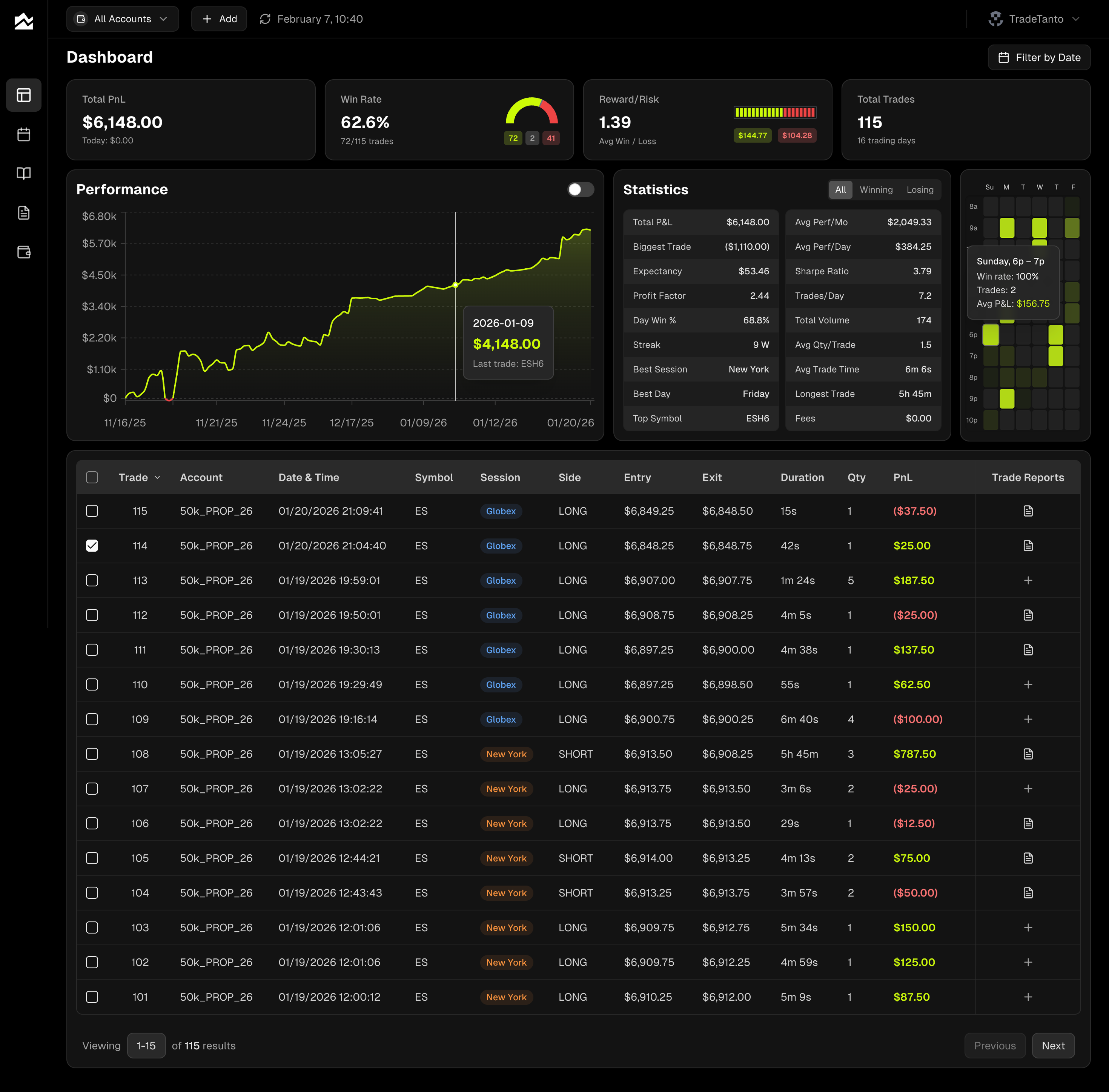
Track, analyze, and improve.
Connect in Seconds
Enter your API key once. No exports, no copy-paste, no maintenance.
Trades Sync Automatically
New fills appear in your journal the moment they execute.
Sync or Upload
Use auto-sync, CSV import, or both. Your workflow, your call.
All Your Accounts, One View
Track Trading Combines and Funded Accounts separately or roll them up together.
Futures-Ready Stats
PnL calendar, trade reports, and custom commissions built for futures traders.
Journal Every Session
Add notes, charts, and context. Global economic events are already there.
Your ProjectX Dashboard
All your accounts roll into one view. Cumulative P&L, win rate, reward/risk, and the stats that show exactly where you stand.
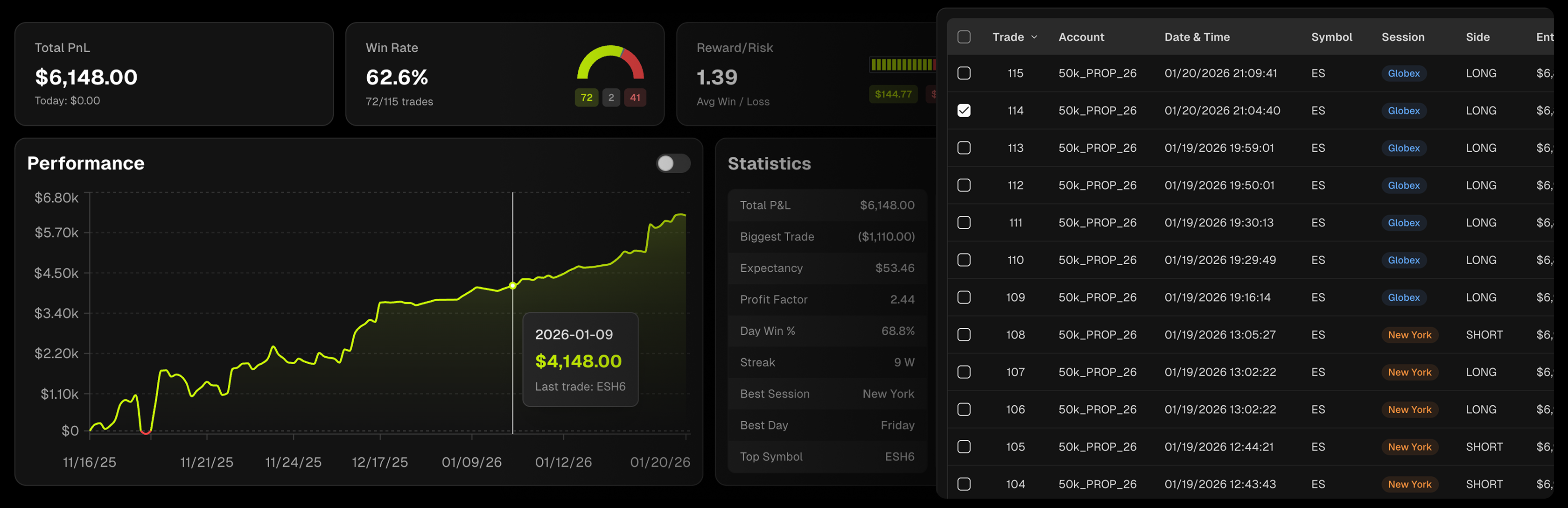
Your Month at a Glance
Green days, red days, streaks and slumps. Click any day to drill into the trades and journal notes. Weekly and monthly totals keep you accountable.
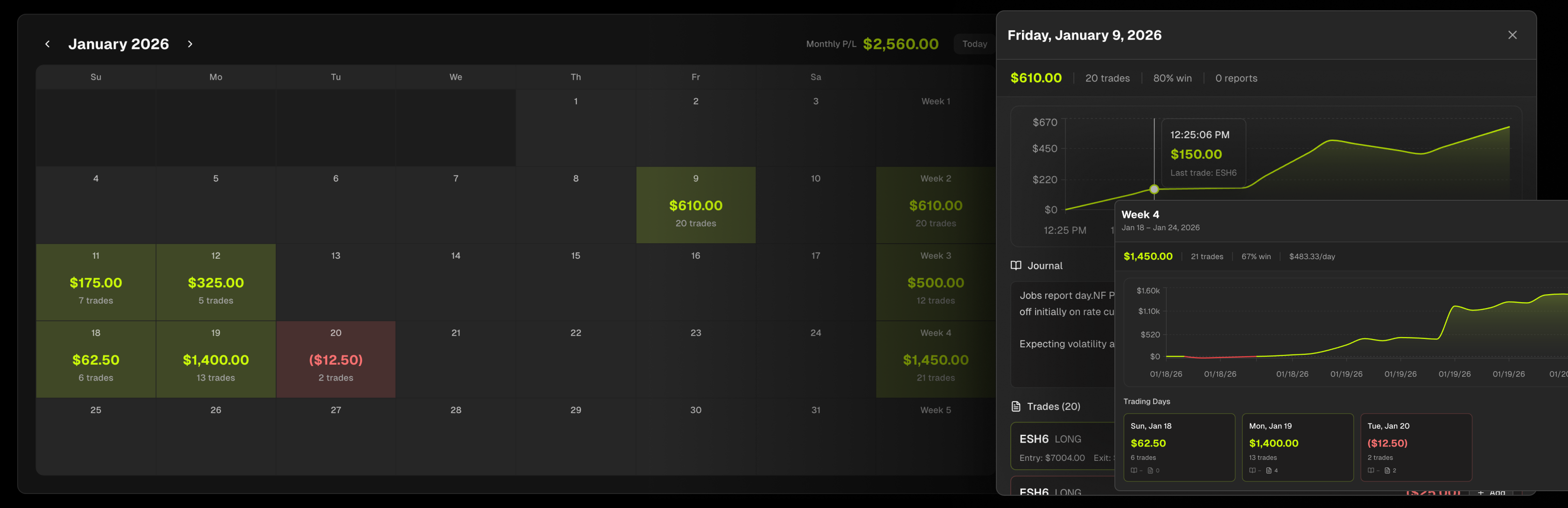
Grade Every Trade
Grade every trade A–F and rate your execution. Document entry and exit reasons, market conditions, and emotional state. Tag setups and filter to find what works.
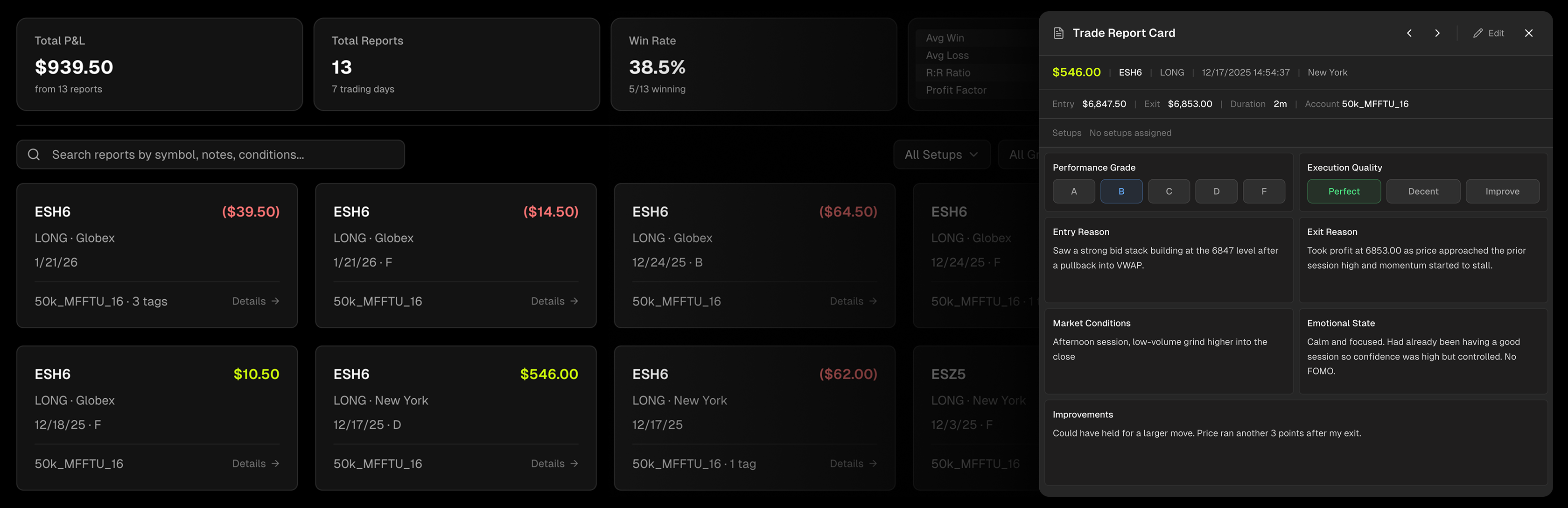
Journal Every Session
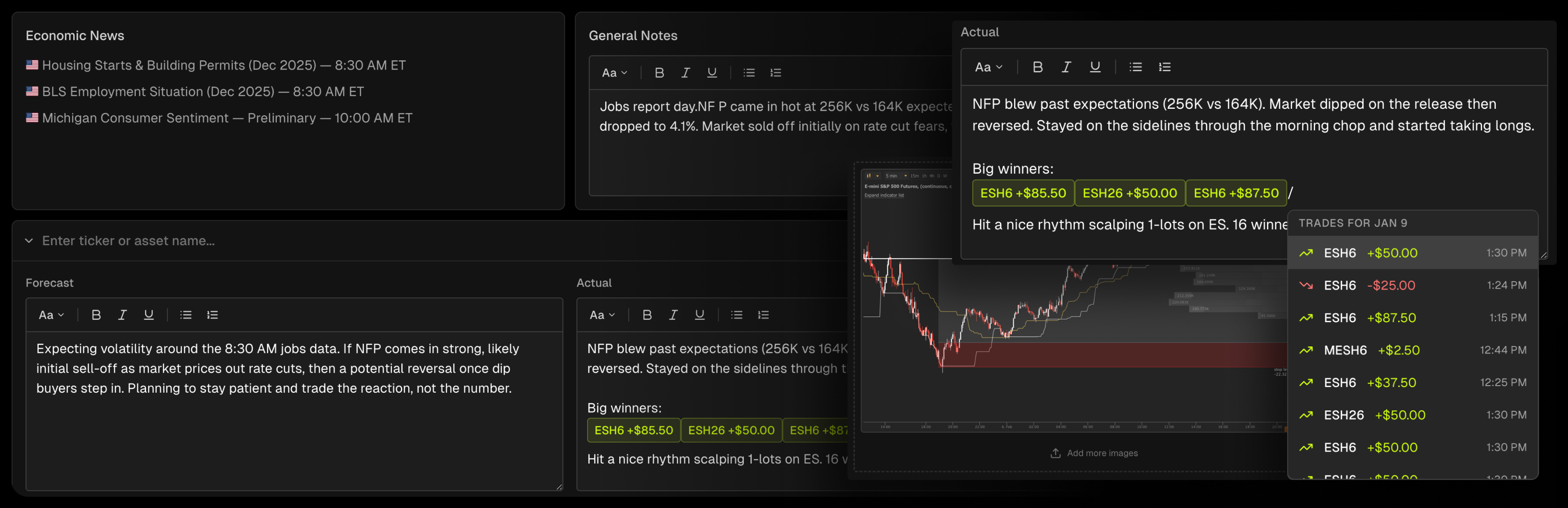
Write your pre-market plan before the open. Review after the close. Economic events pull in automatically so you never miss context.
The Trading Journal for ProjectX Traders
ProjectX powers the trading infrastructure behind TopstepX, the largest futures prop firm in the industry. Over 200,000 traders and more than $1 billion in payouts run through this platform. Connect your account and every fill streams into Tanto as it executes. No file exports. No stale data. No workarounds.
Tanto connects through your ProjectX API key. Authorize once and trades flow into your journal as you take them. Open your Day Journal before the session and economic events are already loaded. As you trade, executions appear automatically. Grade each execution A through F in your Trade Reports, tag setups by strategy, and record exactly what you saw and what you would do differently.
One integration covers every ProjectX account you run. Connect Trading Combines and Funded Accounts side by side, set per-account commissions for accurate net P&L, and track your entire progression from evaluation to funded in one place.
ProjectX Integration FAQ
Generate an API key in your account settings, enter it in Tanto, done. Trades start syncing immediately.
Log in to TopstepX, go to Settings, click the API tab, and generate a key. Copy it right away. It's only shown once.
Tanto only stores your API key, never your password. The key is encrypted at rest and never accessible from the frontend.
No. Tanto is read-only. We can't place trades or modify your account.
Yes. Connect as many Trading Combines and Funded Accounts as you need. Manage them all in one place.
Yes. Set your per-contract or per-order fees on each account so your P&L reflects what you actually keep.
Every fill with timestamps, prices, quantities, and P&L. Everything you need to review your trading.
If you regenerated your API key in TopstepX, the old one is invalidated. Disconnect in Tanto and reconnect with the new key.
Yes. Use auto-sync, CSV upload, or both.
Trade Journals for Every Platform

TopstepX Trade Journal
Auto-sync your TopstepX Trading Combines and Funded Accounts. Trades sync within seconds.

Tradovate Trade Journal
Auto-sync your Tradovate futures trades. Real-time journaling for CME, CBOT, NYMEX, and COMEX.

Rithmic Trade Journal
Real-time streaming from Rithmic. Every fill in your journal the moment it executes.