See your trading
edge, clearly.
Sync your trades automatically. Spot your best setups, worst habits, and the leaks dragging down your P&L.
Know Exactly What's Working
Unified Trading Dashboard
See the full picture. All accounts, all trades, one view. Multiple brokers, one truth.
Instant Trade Sync
Trades sync automatically from your broker. No copy-paste, no typos, no effort.
Structured Daily Routine
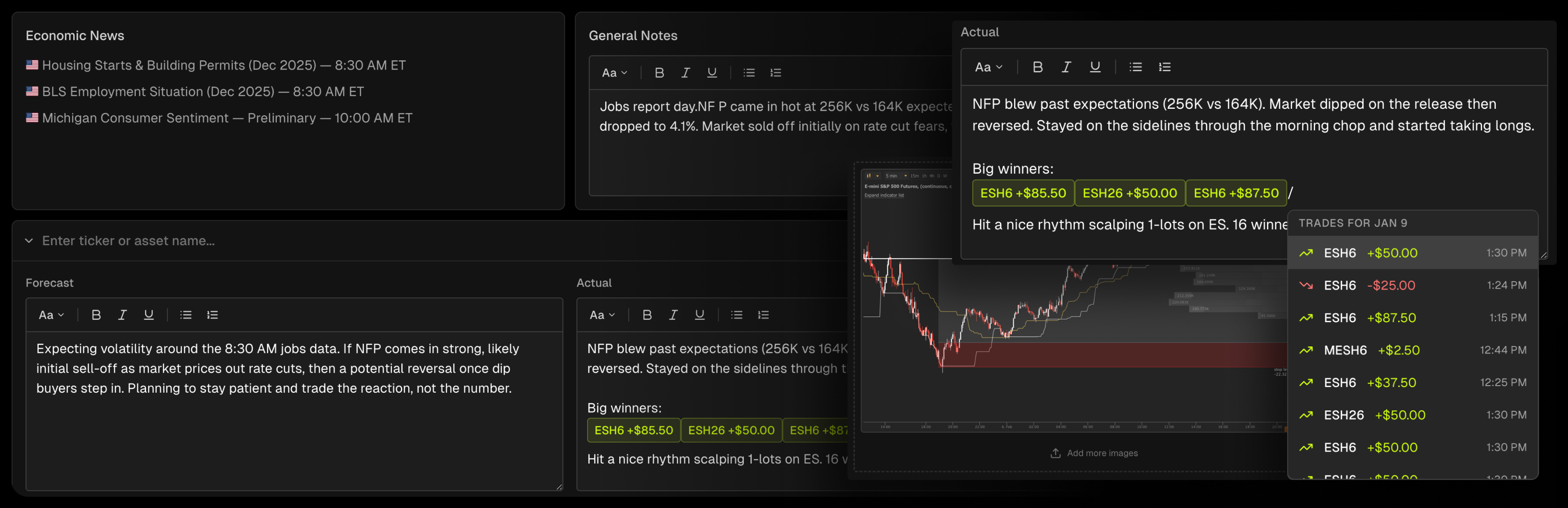
Economic events built in. Embed trades in your notes. Prep and review daily.
Actionable Trade Reports
Grade your execution, tag your setups, and find your real edge.
Visual Performance Calendar
See your whole month at a glance. Green days, red days, patterns revealed.
Custom Tags & Labels
Which setups actually make money? Tag, filter, and find out.
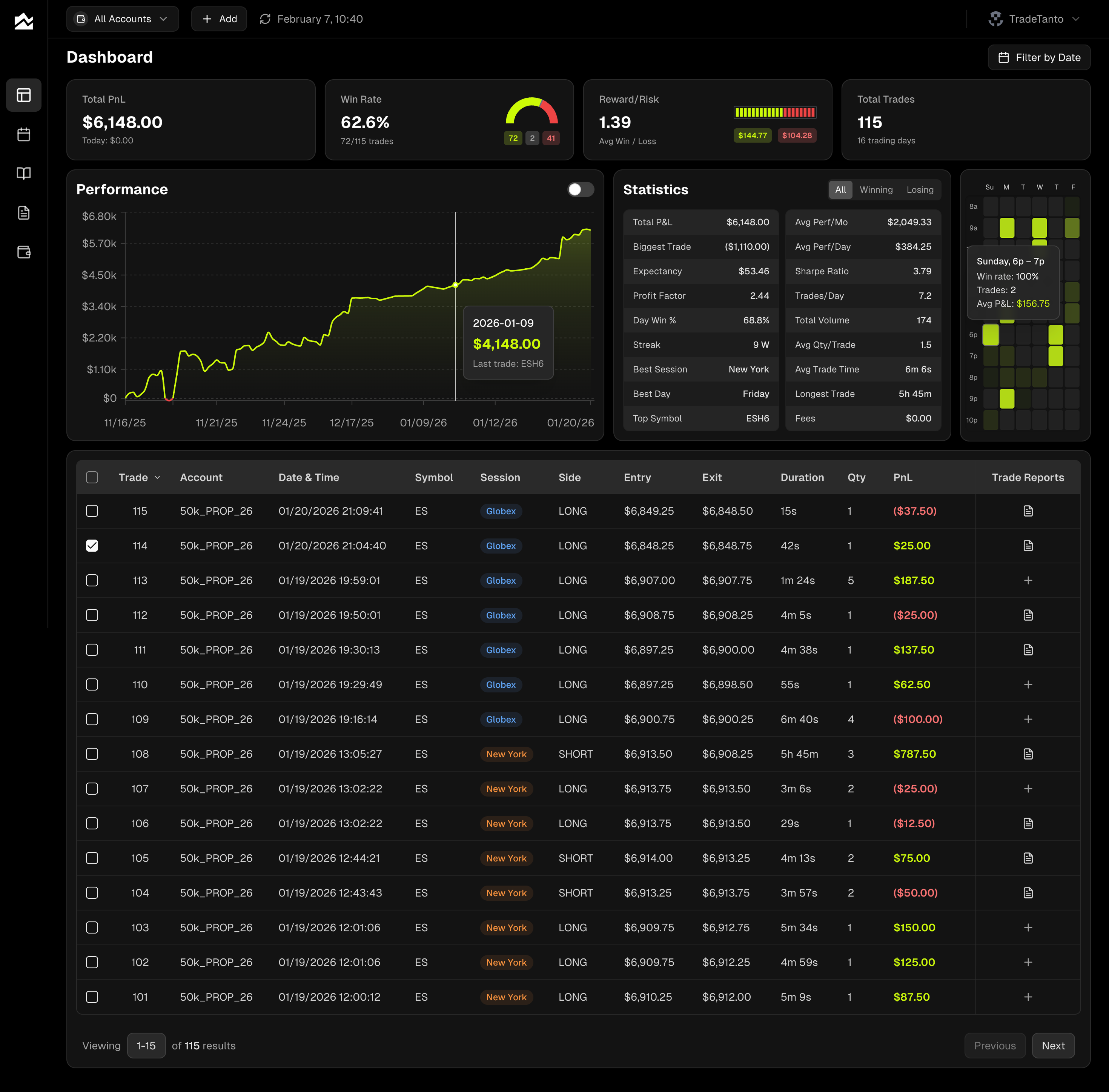
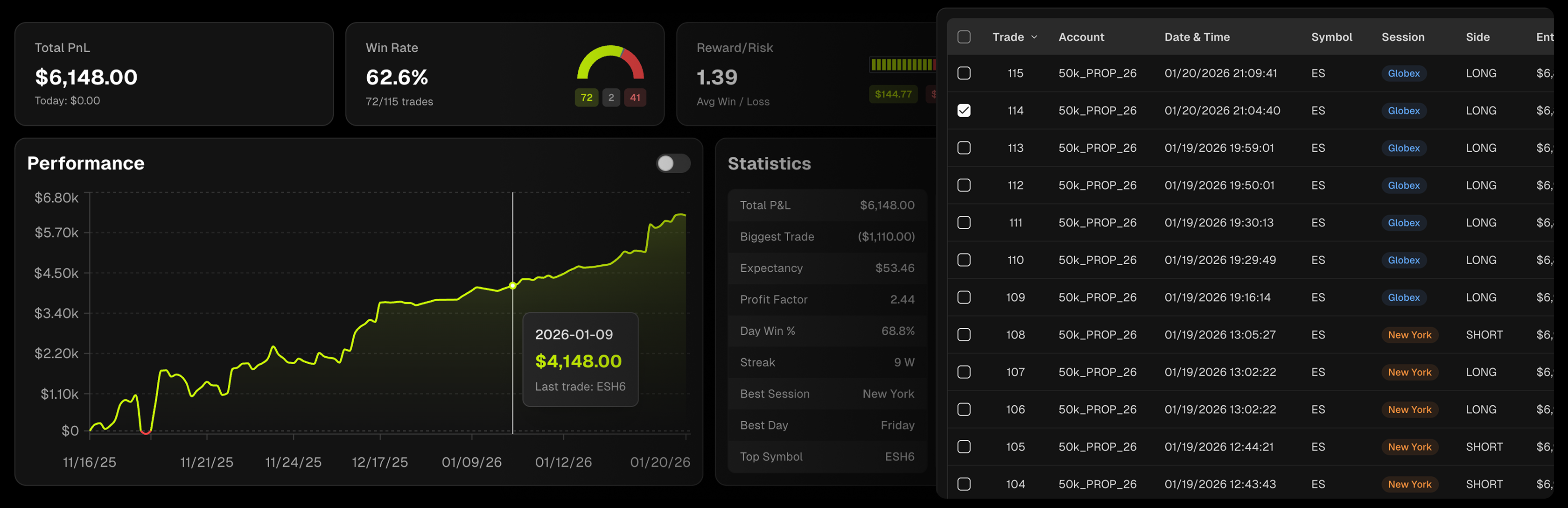
Your Trading Command Center
See exactly where you stand. Cumulative P&L, win rate gauge, and stats that break down what's working and what's bleeding money.
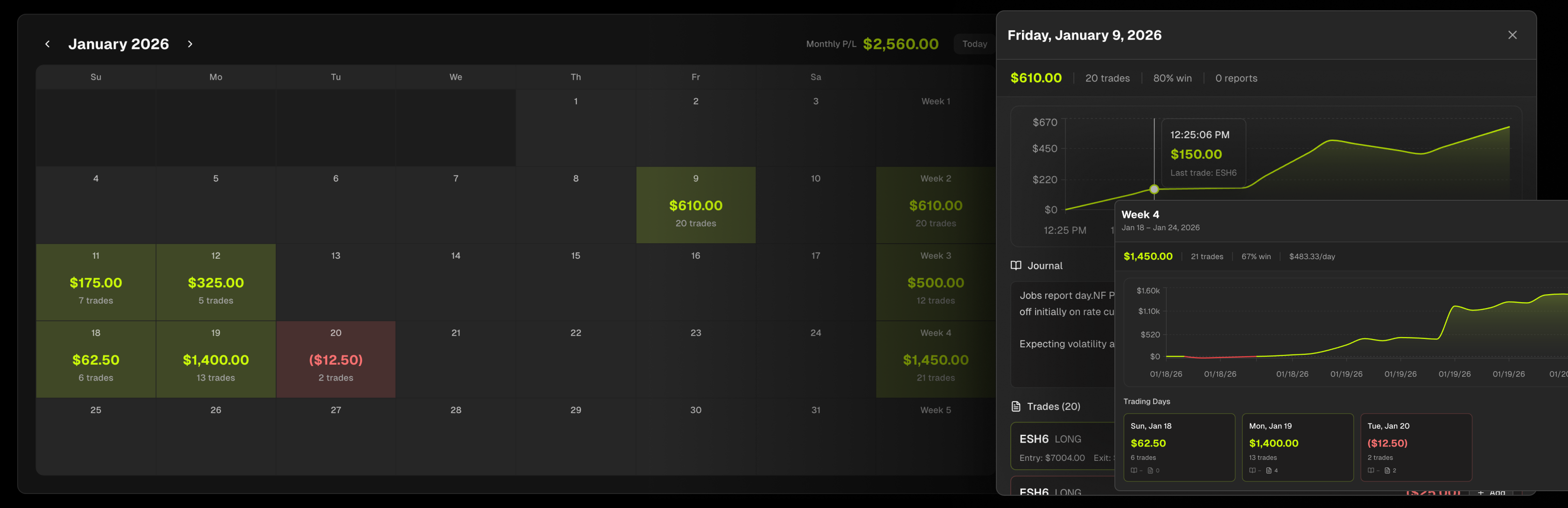
Interactive PnL Calendar
Green days, red days, patterns revealed. Click any day to drill into trades and journal notes. Weekly and monthly totals keep you honest.
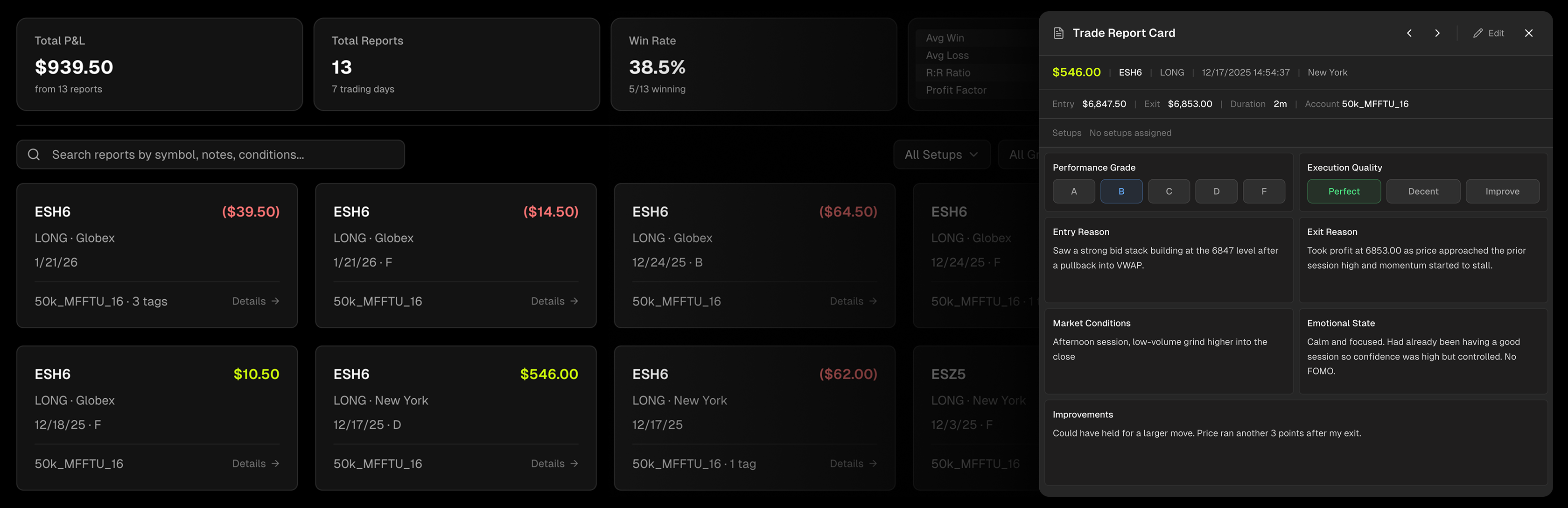
Detailed Trade Reports
Grade every trade A–F. Rate your execution. Document entry reasons, emotional state, and lessons learned. Search, filter, and tag to find what's actually working.
Structured Daily Workflow
Write your pre-market plan, track forecasts vs. actuals, and embed specific trades directly in your notes. Economic events pull in automatically.
Works With Your Broker
Tradovate, NinjaTrader, Rithmic, cTrader, MetaTrader 5, Interactive Brokers, TopstepX, and 35+ brokers and prop firms











FAQ
Because the record keeps itself. Trades arrive from your broker charted against price with your fills marked and MFE, MAE, and Captured % already calculated. What you add on top, the grades, tags, and notes, becomes searchable, so your reports and calendar can show which setups actually pay and which ones you only think do. Nothing gets entered twice.
Yes. Once you connect your broker, trades flow in automatically with all execution details, timestamps, and PnL data. No manual entry or CSV uploads required.
Absolutely. You can connect multiple brokers and view all your trading activity unified in a single dashboard with combined analytics and performance tracking.
Absolutely. Tanto works with all major prop firms across futures and forex, including Apex, Topstep, FTMO, Lucid Trading, FundedNext, and many more. See our [supported integrations](/integrations) for the full list.
Yes. Add trades one at a time, or upload your broker's trade history as a CSV or XLSX. Pick the matching platform format (Tradovate, NinjaTrader, cTrader, and others) when uploading.
Set your round-turn rate per account, per order or per contract, and every number in Tanto follows it, your whole history included. If you trade micros alongside standard contracts, a second micro rate applies itself by symbol. Reports toggle between net and gross whenever you want the raw view.